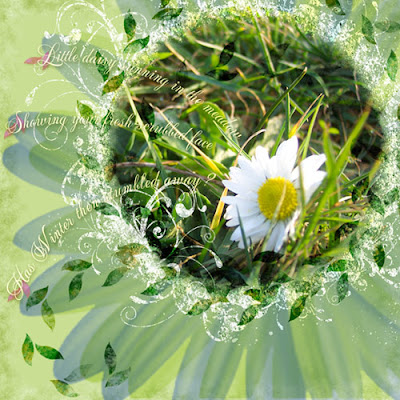
There are a couple of fun things going on: the little leaves going around and around and out of the photo, and the "journaling sprigs" as Anke called them. It's all fairly easy:
For the leaves, I drew a path with a double loop and a little tail:
 I also drew a little leaf shape (helps if you draw it very large, then drastically reduce the size--gets rid of all those little jaggedies for you):
  I duplicated the leaf, flipped it, repositioned it to look like a typical leaf pair on a plant, then made it into a brush (I played around with the spacing in the brush palette, as well as the first set of options--make sure to set the middle one to "direction" so that the leaves flow nicely). Then, I went back to my loop path, and stroked the path with the little leaf brush. I grunged them up by erasing, dodging, adding some color here and there, and then set the layer to color burn, I think.
 For the journaling, I just drew a simple arc path and typed on it--that part's really easy. The petals in the background are from a brush I made of one of my own daisy pictures. It's doubled up, and each is a different color and blending mode. I usually just play with all the options until I happen to find one that works--I rarely know just what I have to do to achieve a specific effect, it's mostly happenchance!
Thanks for asking, Anke!

