Thursday, March 3, 2011

A Little Birdie Told Me ...

New kit in the shop! Cute and doodly! And 20% off till Monday!


http://www.mscraps.com/shop/product.php?productid=2388

[image]

[image]


[image]

Some fun layouts:

By Ve Lomba:


By Lisa:


By Jean:


By Linda:


By France (congratulations on your guest CT'ship!!)


By Romy:


By me:


And, my Tendresse kit is also now in the shop (it was at the Daily Digi last month):


and a couple of new layouts by the MScraps crew:

By Heddy:


and by Jassie:


Have a wonderful weekend, everybody!

Wednesday, March 2, 2011

Free Fonts: Painted & Painted Messy

Oh, it's so nice to have this bit of extra time! I've finally finished the "Painted" font that I started last October, and decided (based on my Skypainting layout) to make a messy version--Painted Messy!

As always, my fonts are free for personal and commercial use, as my way of giving back to the design community. Thank you to all who share their knowledge and goodies! These fonts may not be sold; nor may they be redistributed without the terms of use.

Just click on the image to download the fonts!

Tuesday, March 1, 2011

How to recolor brushes when they're not .abr files

Anne Hargreaves asked, in her comment to Hey! It's Tuesday!:
How have you coloured them? I could do it if they were brushes - I'm sure I'm missing something obvious!
Hi Anne! The kind of brushes that I make usually are transparent .png files, instead of the typical .abr file (which are commonly called brushes) you might find. Mostly I don't bundle them as .abr, because many of my brushes take up a full 12x12" page (3600 pixels to a side), and the maximum size for a Photoshop brush is 2500 pixels. However, recoloring them is a breeze!

There are many ways to do this.

Simplest: Open the file, and change the color fill by choosing the color you want as your foreground color, then pressing shift+alt+backspace (for Photoshop CS & PSE).

Second: change the color by locking the transparency on the brush layer (in your layers palette window up at the top, to the right of "Lock", click on the little box with gray & white squares), then simply painting over it. This is particularly nice when you use the clone tool and pick up specific parts of a photograph to paint with.

Third: Use an adjustment color fill layer. Click on the little gray/white circle in the layers palette window, and choose "Color." Pick your color when the dialog box comes up, then clip this layer to the brush layer (ctrl+alt+g in CS+, ctrl+g in PSE). The nice thing about this option is that you can change the blending mode on the color layer, as well as on the brush layer, so you can achieve some really intricate coloring. (Note: you can also use the Layer-->New Fill Layer-->Color command from the menu at the top of your screen to do this).

Fourth: Clip a photograph or paper to the brush by using the ctrl+alt+g (CS) or ctrl+g (PSE) command.

Those are the 4 most basic options I can think of at the moment to help you use the brushes that I often include in my kits or as element packs. They are a TON of fun!

Freebie to Celebrate!

As of March 1, I'm now an exclusive designer with MScraps (which will hopefully help save some part of my sanity *lol*), and to celebrate, I'd like to tempt you with my newest Alpha: AlphaNumeric! And it's free! You should be able to just click on the download link directly on that page, without even putting it in your cart. I think.

Alphanumeric contains the numbers 0-20, then tens up till 100, plus 1,000. I'm sure you can find a zillion fun ways to use them! Enjoy!

http://www.mscraps.com/shop/product.php?productid=2401

Hey! It's Tuesday!

So that means it's Tickle Your Tuesday over @ MScraps, and I have my Out of Line: Borders on sale for 50% off, which means they're dirt cheap. These are some very cool, very grungy elements--perfect for adding just a special touch.


In fact, I used these just recently on a page I made for the MScraps Ad challenge (the little hearts border):


So drop on by!

Thursday, February 24, 2011

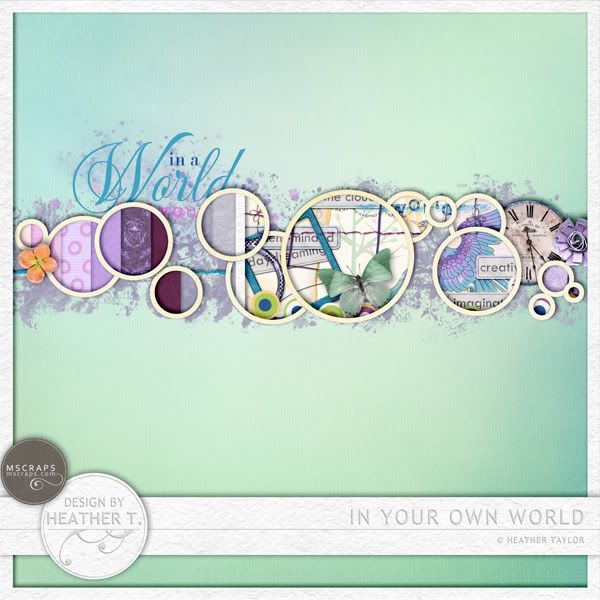
In Your Own World

So here's the new kit:

http://www.mscraps.com/shop/product.php?productid=2317


Ain't she a beaut?? I think it's my largest kit ever, too--I need to downsize! *lol*

Amazing CT layouts:

By Sandrine:


By Romy:


By Vera:


By Jean:


By Ulla-May:


By Lisa:


By Julie:


and by me:


Don't forget, In Your Own World is 20% off through the weekend. Have a great one!

Wednesday, February 23, 2011

Sneak Peek--and Give-away! (closed)

 ETA: And the winner is........

SOCO! Félicitations!! I'll send you the links via PM...

and now, go check out the real thing in the shop!

Thanks for playing everybody!!


Ooooh, looky what I have coming @ MScraps this Thursday/Friday... In Your Own World! It's a great kit for all your daydreamers, your distracted little geniuses, your perpetually story-telling son -- wait, that's mine. ;) Maybe you have one like him?

Anyway, I'd love to give this kit away to one of you. Tell me--as a child, were you ever lost in your own little world(s)? What do you remember about that? Let me know what it was like in a comment to this post, and Mr. Random will reward one of you with a rather large kit, come release time!