Saturday, November 10, 2012

The Way You Are: New!

Here's a fresh and cute kit for you: The Way You Are. It comes with its own alpha, even!


And some really great pages show you how versatile it is!

By Annette:


By Soco:


By Helen:


By Jen:


By Jetje:


And by Romy:


And 20% off the rest of the weekend, of course. Hope you have a great one!

Thursday, November 1, 2012

iDSD Blog Train: I Love To Craft + Sale News!

Whee! It's that time of year again--when you can collect a huge, wonderful kit--for free! You should have come from Sonia's blog, and next, you'll be going to Heddy's blog. And in the meantime, here's my little piece!


PS: if you get lost, just head on over to MScraps for more info (and GAMES and GIVEAWAYS and ALL KINDS OF FUN!)

And, over in the store... I'm having a sale (30%) but more importantly, I've made an EeeeeeENORMOUS grab bag! And you should definitely check it out.


Have a very lovely weekend, everybody!

Thursday, October 25, 2012

Designer of the Week Sale, + a Beautiful New Kit!

Well, this week is full of goodies for you! For one, my entire store (minus a few things) is on sale by 40% through next Thursday. Great time to buy those kits or commercial use items! Also, I made the freebie for the MScraps Newsletter, which you can download through the newsletter link (sign up by Tuesday, in time for the next newsletter, if you want to grab it and you're not subscribed yet!).

Here's the Add-On:


And here is the beautiful new kit, Cinnamon & Brown Sugar, it complements:


And the papers:


The masks:


The brushes & colored overlays:


 the word art:


Pretty nifty, eh? And, as you'll see from the CT pages, you can go in soooo many different directions with this kit!

By Vera:


By Jen (just *love* her mask-work here!):


By Li Li:


By Sandrine:


By Petra:


By Julie:


By Katja:


By France:


And by Dita (and gee, I had to leave some out--post is getting too long! *lol*):


Anyway, please do go check Cinnamon & Brown Sugar out--it's 20% off through Sunday--and the rest of the store is 40% off! Have a wonderful weekend!

Saturday, October 13, 2012

Facebook Fans...

I've added a little ♥ tab where (if you've liked my Design by Heather T. page), you can download a freebie! Pretty cool, eh?

I'm so with the times. *rolls eyes and laughs*

Thursday, October 11, 2012

A Simple Day

I've been sick the past three weeks, and finally started feeling well enough to put together a new kit, which is more on the clean and simple side, I think. It's called A Simple Day, and it has a ton of different components to it!


Masks:


Layout Mats (or clipping masks--these are great to make quick pages, but you can of course resize them and use them as frames within a layout):


An Alpha:


And, a set of Dates:


I made a page too--I realized I need to be doing more scrapping!


by Helen:


By Romy:


By Petra (with Grilled Templates):


By Jen:


And by Sandrine (Romy teasingly mentioned that she was amazed Sandrine managed to hold onto the camera *giggles*):


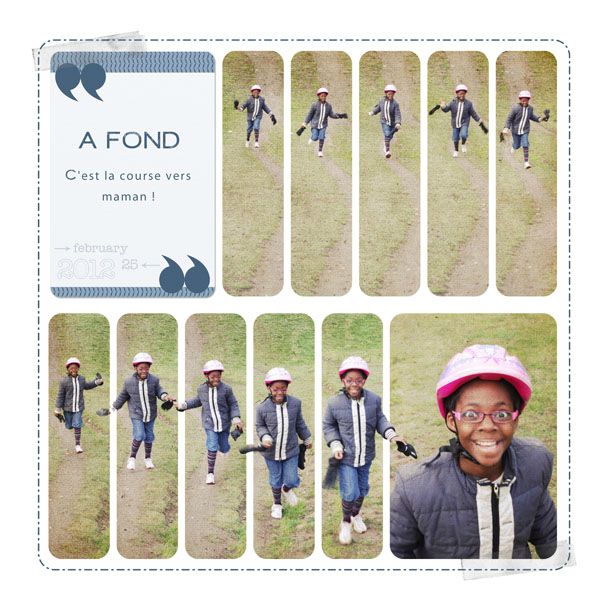
Hope you have a great weekend, and your loved ones come running up to you so enthusiastically!

Thursday, September 20, 2012

Hurry Hurry, Rush Rush!

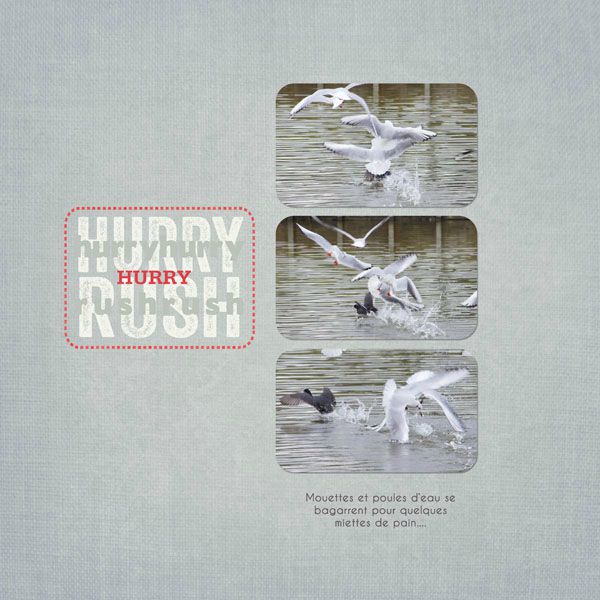
Well, that's the name of my new kit--feel free to just amble on over to MScraps and check it out! ;) It's full of colors and style and wordart!


The CT crew made some fabulous pages, too!

By Romy:


By Lisa:


By Li Li:


By Sandrine:


By Jen:


Have an awesome weekend!

Saturday, September 15, 2012

Photoshop Tutorials (PSE & CS)

I'm re-releasing all the tutorials I've created as .pdf's, in one complete bundle:


Here's what you get:

This is a collection of ten tutorials, written and illustrated for scrappers, photographers, designers, or anybody who needs a good reference set for techniques. I use Photoshop CS+ (not CS6 yet) and some Photoshop elements--the easier techniques are perfectly compatible with Elements; the more advanced ones use tools that Elements does not have. 

These tutorials are easy to understand, very well illustrated with screen shots, and contain all kinds of tips on little things that are often frustrating, including troubleshooting why something didn't work as planned. You can print them out, or follow along onscreen. 

Here's what you'll learn: 

1. Working with Templates: 10 pages, Beginning Level. Learn about some of the basic functions of Photoshop, including simple ways to use layers, clipping masks, basic shadowing, and changing colors. Included: 1 layered .psd template. 

2. Drop Shadow Basics: 7 pages, Beginning Level. Learn how to use the special effects dialog to give your layouts depth and realism. 

3. Extraction with the Magnetic Lasso: 7 pages, Beginning Level. Learn how to remove certain types of elements from their backgrounds in a relatively painless manner. 

4. Changing Colors: 7 pages, Beginning Level. Learn how to change the colors of your embellishments or papers. 

5. Making Simple Papers: 9 pages, Beginning Level. Learn how to make your own simple dotted or striped papers. Included: 2 sample 12x12", 300 dpi. papers. 

6. More on Drop Shadows: 11 pages, Intermediate Level. Learn how to make more complex shadows by actually manipulating the shadow itself. 

7. Introduction to Masks: 13 pages, Intermediate Level. Learn how quick masks and channel masks work, as well as how to extract using these methods. CS only. 

8. More on Masks: Layer Masks: 11 pages, Intermediate Level. Learn how to approach gradient blending, spot retouching, and easy recoloring. CS only. 

9. Making (and Using) Brushes: 11 pages, Intermediate Level. Learn how to make brushes from photos, how to change brushes, and how to save them. 

10. Extraction with the Pen Tool: 12 pages, Advanced Level. Learn how to use the pen tool effectively to extract complex shapes from a photograph. CS only.


Here's a screenshot from the Making Simple Papers tutorial, for example:


And here's what Ona made using the tutorials (with my Once Upon A Time kit):


It's a great deal, and even if you've been scrapping a while you can still find out some cool tricks! Most of the skills are interchangeable between programs (Gimp, PaintShopPro, etc.)--as long as you're using the same tools, they all function pretty much the same. 20% off this weekend, so it's a good deal!